How to recover original WordPress images instead of thumbnails
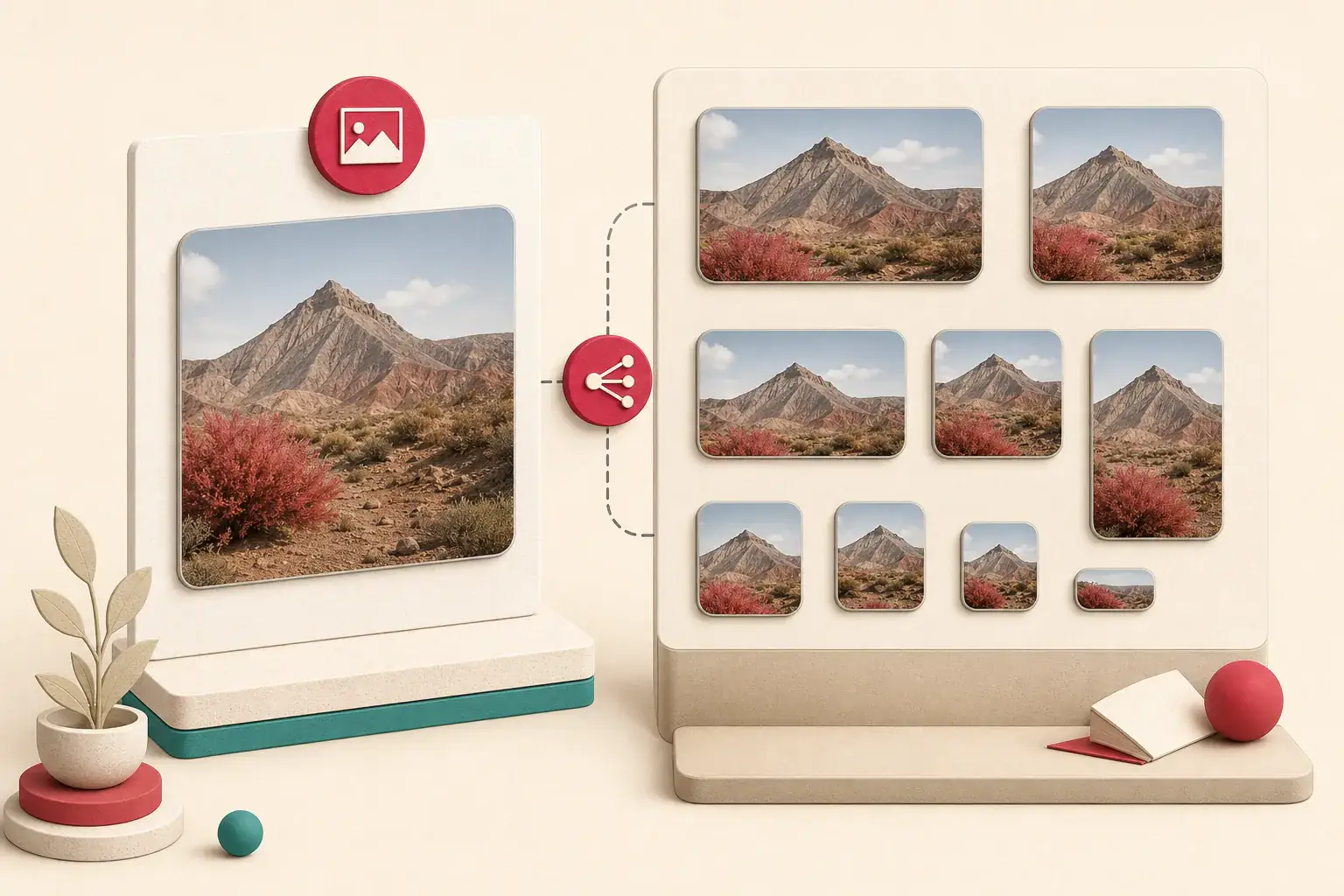
WordPress creates several image files when an editor uploads one photograph. A theme might display a 768-pixel version, a square card might use a cropped thumbnail, and a high-density screen might receive a larger srcset candidate. The original usually remains in the uploads directory, but plugins, scaling rules, CDN offloading, edits, and migrations can make it harder to identify.
If you are recovering a site you own, start with WordPress records and storage. Filename guessing from the public page is a useful fallback, not the primary backup method.
How WordPress creates sizes
A classic upload can produce a family such as:
garden.jpg
garden-150x150.jpg
garden-300x200.jpg
garden-768x512.jpg
garden-1536x1024.jpg
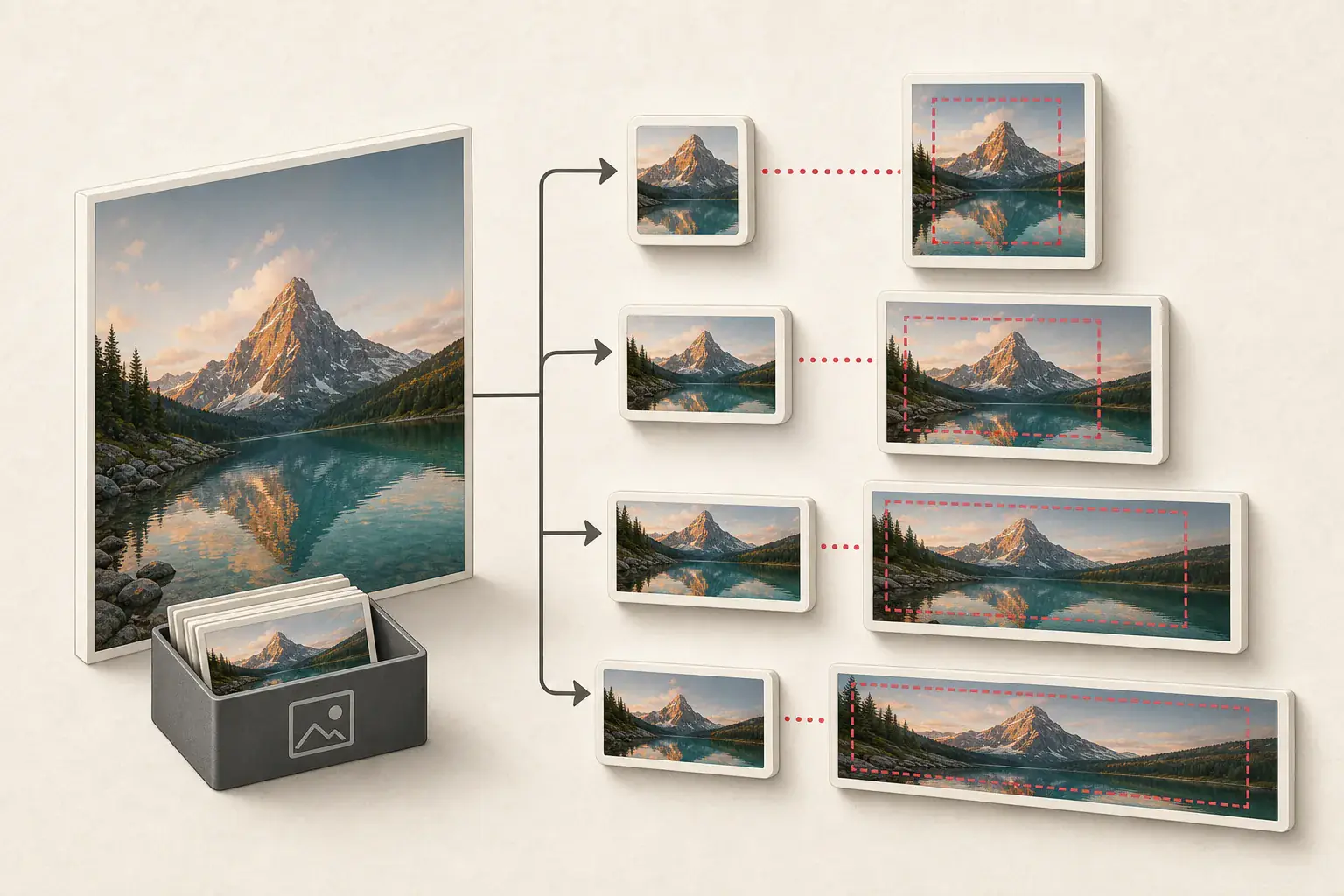
The named derivatives correspond to registered image sizes. Themes and plugins can add custom sizes, including hard crops.
The dimensions in the filename usually describe that derivative, but the exact file set depends on site configuration at upload time. Changing the registered sizes later does not automatically recreate every older image unless thumbnails are regenerated.
Start in the Media Library
If the WordPress administrator works, open the attachment and inspect its URL, dimensions, title, alt text, caption, and upload date. The attachment record provides context that a directory listing cannot.
Download the original through supported controls where available. For many files, use an authorized export, backup plugin, hosting snapshot, or command-line workflow suitable for the site.
Do not manually download thousands of public thumbnail URLs when you have direct administrative and storage access.
Understand attachment metadata
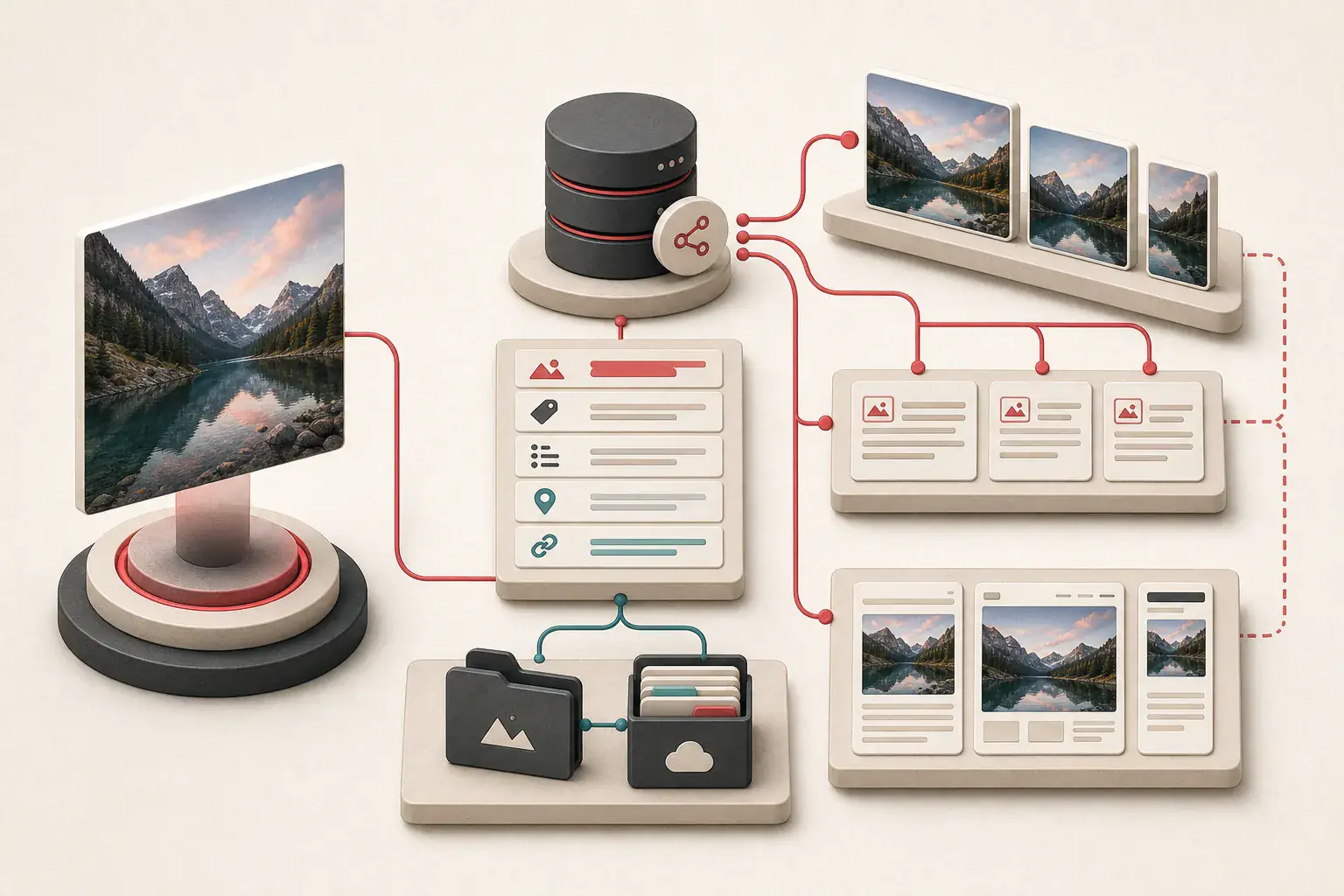
WordPress stores information about generated sizes in attachment metadata. It can identify the original upload dimensions and filenames for derivatives.
For an authorized technical recovery, inspect the database and file system together. The database may reference files missing from disk, while the uploads directory may contain unregistered files from failed migrations.
Back up both before making changes. Do not edit serialized or structured metadata casually on a production database.
The uploads directory
By default, media is commonly organized under year and month paths such as:
/wp-content/uploads/2026/08/garden.jpg
Configurations can change the path, and offload plugins may move files to object storage. A public CDN URL can hide the true storage location.
When you control the host, compare:
- Database attachment path
- Local uploads filesystem
- Object-storage bucket
- CDN delivery URL
- Backup archives
The stable asset record matters more than the current delivery hostname.
The scaled suffix
WordPress can create a scaled version of very large uploads with a filename ending in -scaled. The original may still be present and tracked as the original image.
Do not remove -scaled and assume the resulting URL is correct. Check attachment metadata and storage. The scaled version may be the practical editing source the site uses, while the camera original is retained for recovery.
Record both and decide which should serve as the archival master.
Edited image filenames
Edits made in the Media Library can produce new files, often with additional suffixes or timestamps. The attachment may now point to the edited version while the earlier source remains in storage.
Before choosing a master, compare composition. The "original" camera file might include unwanted framing that an editor intentionally cropped. Recovery should preserve both source and approved editorial version when they have distinct value.
Read srcset on the public page
WordPress outputs responsive candidates for many images:
<img
  src="garden-768x512.jpg"
  srcset="garden-300x200.jpg 300w,
          garden-768x512.jpg 768w,
          garden-1536x1024.jpg 1536w"
  sizes="(max-width: 768px) 100vw, 768px"
  alt="Community garden beside the library"
>
Inspecting srcset helps find larger public derivatives. It may not include the original if WordPress decides that file is unnecessarily large for the layout.
Use the responsive image guide to interpret candidates correctly.
Filename suffix removal as a fallback
If you have only a public derivative and no administrative access to the old system, a dimension suffix can suggest an original path:
garden-768x512.jpg -> garden.jpg
Test with a normal HEAD or GET request and verify the response type, dimensions, and visual content. Do not run broad filename guessing against a site you do not own.
This technique can fail because:
- The original was deleted.
- The edited file has a different base name.
- The site uses
-scaledas its current source. - A plugin converted files to WebP or AVIF.
- The CDN rewrites paths.
- A security rule blocks direct access.
- The dimension string is part of the genuine filename.
Treat a successful result as a candidate and validate it.
Modern format conversion
Optimization plugins and hosting platforms can deliver WebP or AVIF even when the stored source is JPG or PNG. The browser's URL, extension, and response format may not match neatly.
Record the actual Content-Type and inspect the file. Keep the original upload for archival use and store generated modern formats as derivatives unless the workflow deliberately uses them as masters.
The image format guide explains transparency and compression tradeoffs.
CDN and offload plugins
An offload plugin can copy or move uploads to object storage and rewrite page URLs. Recovery needs the plugin configuration, bucket, object keys, and database references.
Do not assume that turning off the plugin restores local files. Test in staging. A CDN cache can make missing origin objects appear healthy until the cache expires.
For transformed delivery paths, use the image CDN parameter guide.
Recover from a rendered website when admin access is gone
If the old site remains publicly accessible and you are authorized to recover it:
- Build a canonical page list from sitemaps and archives.
- Render each important page.
- Collect
src,srcset,<picture>, gallery links, and CSS backgrounds. - Open gallery or zoom states.
- Group WordPress filename families.
- Test likely original paths conservatively.
- Record page context, alt text, and captions.
- Download the best verified candidate.
Use the WordPress image downloader for rendered public pages, then reconcile the results with any database or storage backup you can obtain.
Detect missing originals
Create a report for every attachment family:
| Attachment | Database record | Derivatives | Original | Decision |
|---|---|---|---|---|
| Garden photo | Present | 4 present | Present | Keep original and approved crop |
| Team headshot | Present | 2 present | Missing | Recover best derivative |
| Old banner | Missing | 3 orphan files | Present | Review ownership and usage |
Do not regenerate thumbnails until the source and backup are safe. A regeneration job can overwrite or remove derivative files depending on tooling.
Choose the best recovery master
Prefer:
- Verified original upload
- Approved edited source with the needed composition
- Largest non-upscaled derivative
- External authorized archive or photographer delivery
- Best public candidate when nothing else survives
Check detail at 100 percent. A file with large dimensions can be an upscaled preview. Read why extracted images look blurry for diagnosis.
Preserve metadata and context
Export:
- Attachment ID
- Title and description
- Alt text and caption
- Upload author and date when needed
- Parent post relationship
- Original and derivative paths
- Pixel dimensions and file hash
- Rights or credit information
Keep alt text at the page occurrence when context differs. The alt text export guide explains that distinction.
Rebuild safely
In a staging copy:
- Restore masters to controlled storage.
- Repair attachment paths and metadata through supported WordPress tools.
- Regenerate required image sizes.
- Update CDN or offload configuration.
- Clear caches.
- Crawl rendered pages.
- Check gallery order, captions, and responsive candidates.
- Compare the result with the recovery manifest.
Avoid direct production database edits without a tested rollback.
Rights and private media
Recover media only from sites you own or are authorized to administer. Upload directories can contain unpublished, private, or personal files even when directory paths are guessable. Do not enumerate another site's uploads.
Preserve licenses and contributor credits during restoration. If ownership is unclear, use the image source and license checklist before republishing.
Recover the context with the files
Public thumbnails are clues, not the recovery source. Start with attachment records, uploads storage, and backups. Use srcset, size suffixes, and CDN paths to reconnect the family when those records are incomplete.
Keep the original upload even when an editorial crop is the version readers know. Restore both in staging and check which sizes the current theme actually requests. The job is done when the file has its attachment, caption, alt text, credit, and page relationships again. A directory full of -300x300 files is only part of the story.
Related posts
Why image extractors find thumbnails instead of full-size images
Follow the trail from a small preview to the original image without guessing filenames or upscaling a low-resolution copy.
How image CDN URL parameters change size, crop, and quality
A technical field guide to reading transformed image URLs and finding the largest version a page is authorized to serve.
Website migration image QA checklist
A before-and-after image testing workflow for redesigns, domain moves, platform changes, and CDN migrations.