A real-browser imgdownloader alternative
Paste a URL and download every image on the page. ExtractPics renders each page in a real headless browser, so it picks up images that load on scroll and the higher-res versions a plain parser can miss — free, no signup.
- check_circleNo signup
- check_circle100% free
- check_circleBulk ZIP download
- check_circleFull-resolution
Trusted by people who extract images every day
136,963 image extractions and counting
Why choose this imgdownloader alternative
If you are searching for an imgdownloader alternative, you want what imgdownloader.com offers — paste a website link and bulk-download its images — but you may want a tool that digs a little deeper into modern pages. ExtractPics is that imgdownloader alternative: free, browser-based, and no signup, but it renders each page in a real headless browser rather than only reading the page source, so it surfaces images that only appear after the page runs.
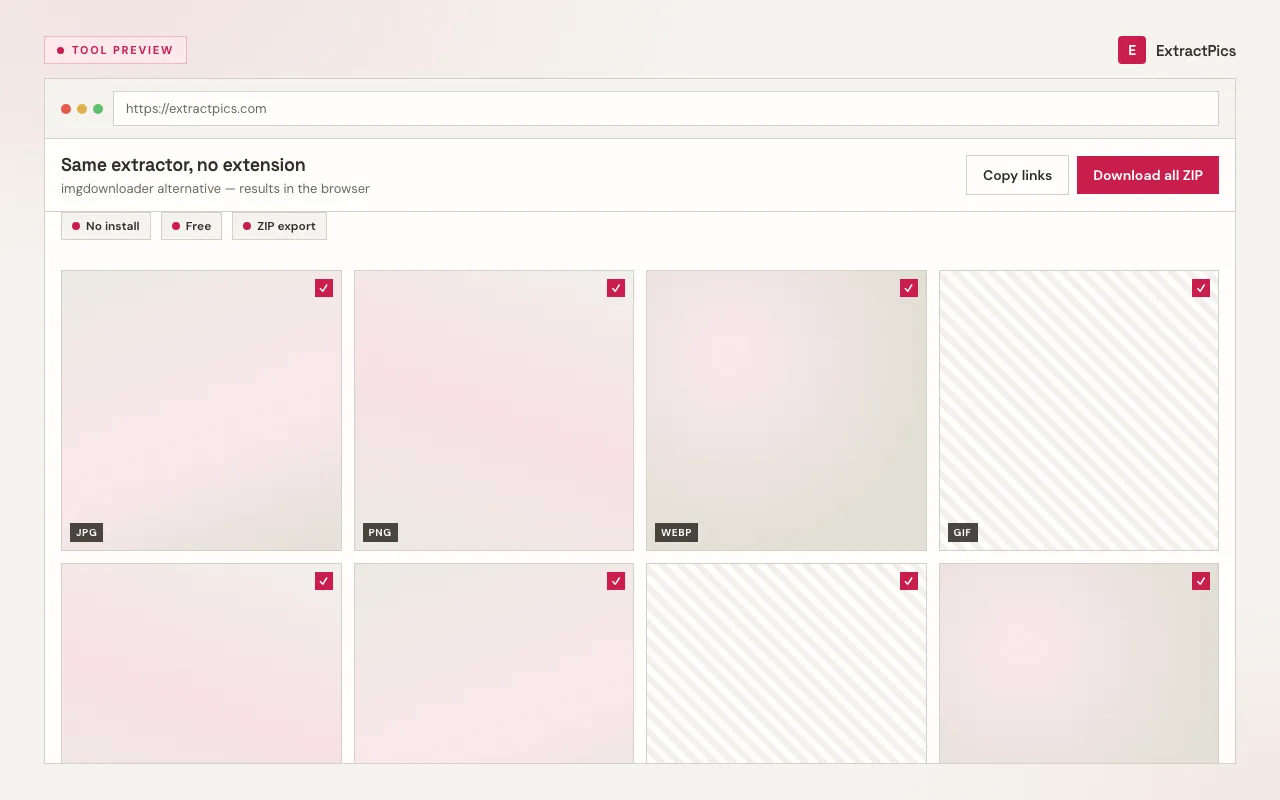
That rendering step is the core of how ExtractPics works. It opens your URL in a real browser, executes the page's JavaScript, and scrolls so lazy-loaded images appear, then collects every source it finds — ordinary img tags, the higher-resolution versions inside srcset, and images painted as CSS backgrounds. You preview the full set as thumbnails, untick anything you do not want, and download the rest individually or as a single ZIP.
What this imgdownloader alternative does
Real headless-browser rendering
ExtractPics loads each page in a real browser and scrolls it, so lazy-loaded images, srcset versions, and CSS background images all surface — the kind a static parser can skip.
Preview and bulk ZIP
See thumbnails of everything found, pick exactly what you need, and download a single image or the whole batch as one ZIP.
Free, no signup
Open the site, paste a URL, and extract on your first visit. No account, no extension, no API key — just the tool.
When this imgdownloader alternative is the better fit
Reach for ExtractPics when a page is image-heavy and dynamic — galleries that load on scroll, product listings with responsive images, or sites that paint photos as CSS backgrounds — and you want the full set, not just the obvious ones.
Perfect for
- checkBulk-downloading a gallery that loads images as you scroll
- checkGrabbing full-resolution srcset versions, not just thumbnails
- checkPages that use CSS background images for photos
- checkDesigners and marketers collecting reference images
- checkResearchers and dataset builders gathering image URLs
- checkQuick one-off bulk downloads without installing anything
What you get
- checkFree with no account required
- checkRenders the page in a real headless browser
- checkFinds lazy-loaded, srcset, and CSS-background images
- checkCopy the raw image URL list for your own workflow
- checkDownload individually or as a single ZIP
- checkWorks on any public website, desktop and mobile
How to use this imgdownloader alternative
- 01
Paste the website URL
Drop the link of the page whose images you want into the box at the top — a gallery, product page, blog post, or search results.
- 02
Let it render and scan
ExtractPics opens the page in a real headless browser, runs its scripts, and scrolls to surface every image, including the ones that load on demand.
- 03
Preview and download
Review the thumbnails, deselect anything you do not need, then bulk-download the images as a single ZIP or grab them one at a time. No account, no watermark.
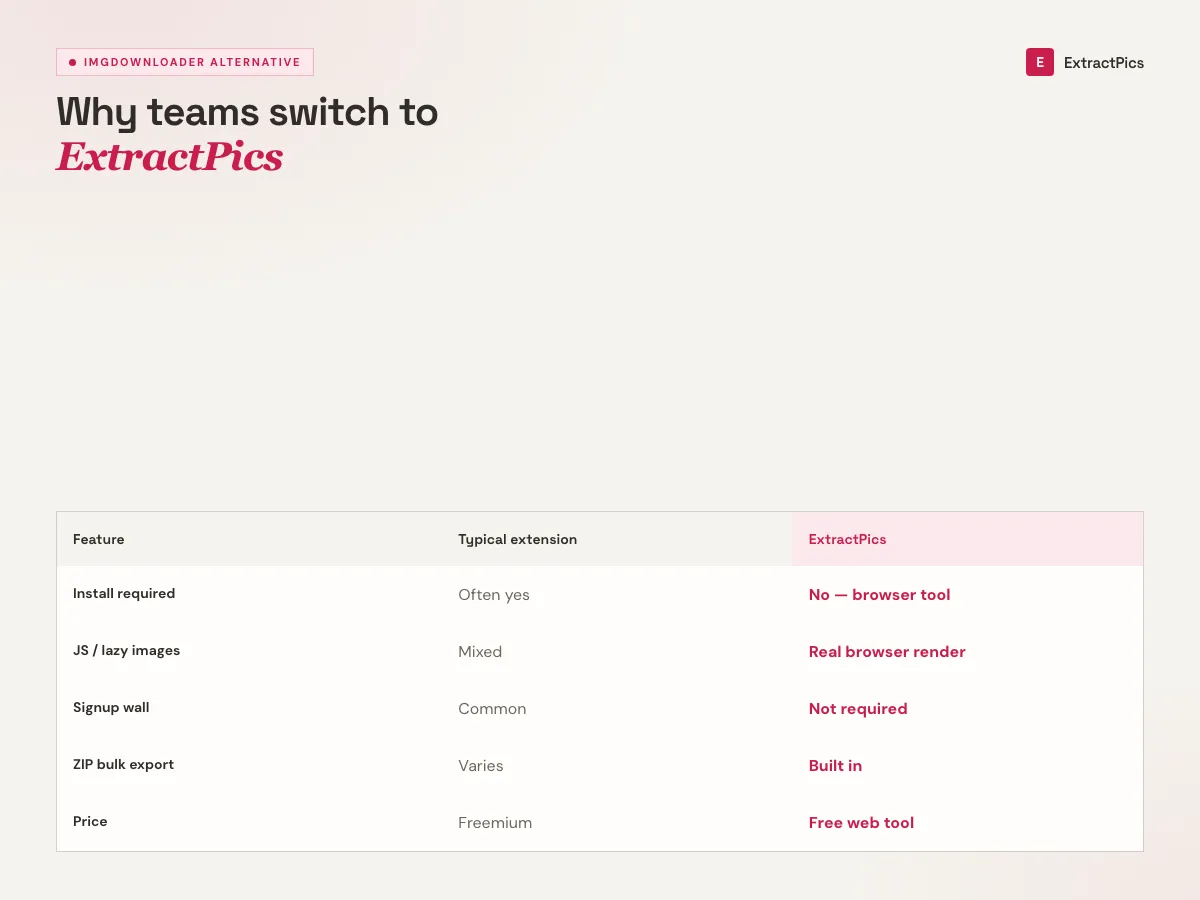
How this imgdownloader alternative compares
Both tools do the same headline job: paste a URL and download the images in bulk. Where ExtractPics aims to stand out is depth. Rather than relying only on the page's raw HTML, it renders each page in a real headless browser, runs the JavaScript, and scrolls — which is what it takes to catch images that only appear after the page loads.
In practice that means three categories of images a simpler parser can miss: lazy-loaded images that wait until you scroll, the higher-resolution versions hidden inside responsive srcset, and images applied as CSS backgrounds. ExtractPics collects all of them, shows you a preview, and lets you bulk-download as a ZIP or pick out individual files — all free and without a signup.
As with any image tool, ExtractPics only reaches images that are already public, and downloading them does not grant the right to reuse them. You are responsible for respecting each site's terms of service and the copyright on anything you save. This page is an independent comparison and is not affiliated with or endorsed by imgdownloader.com.
Frequently asked questions
If your question is not covered here, send us a message and include the page, file, or result type you are working with.