Extraction
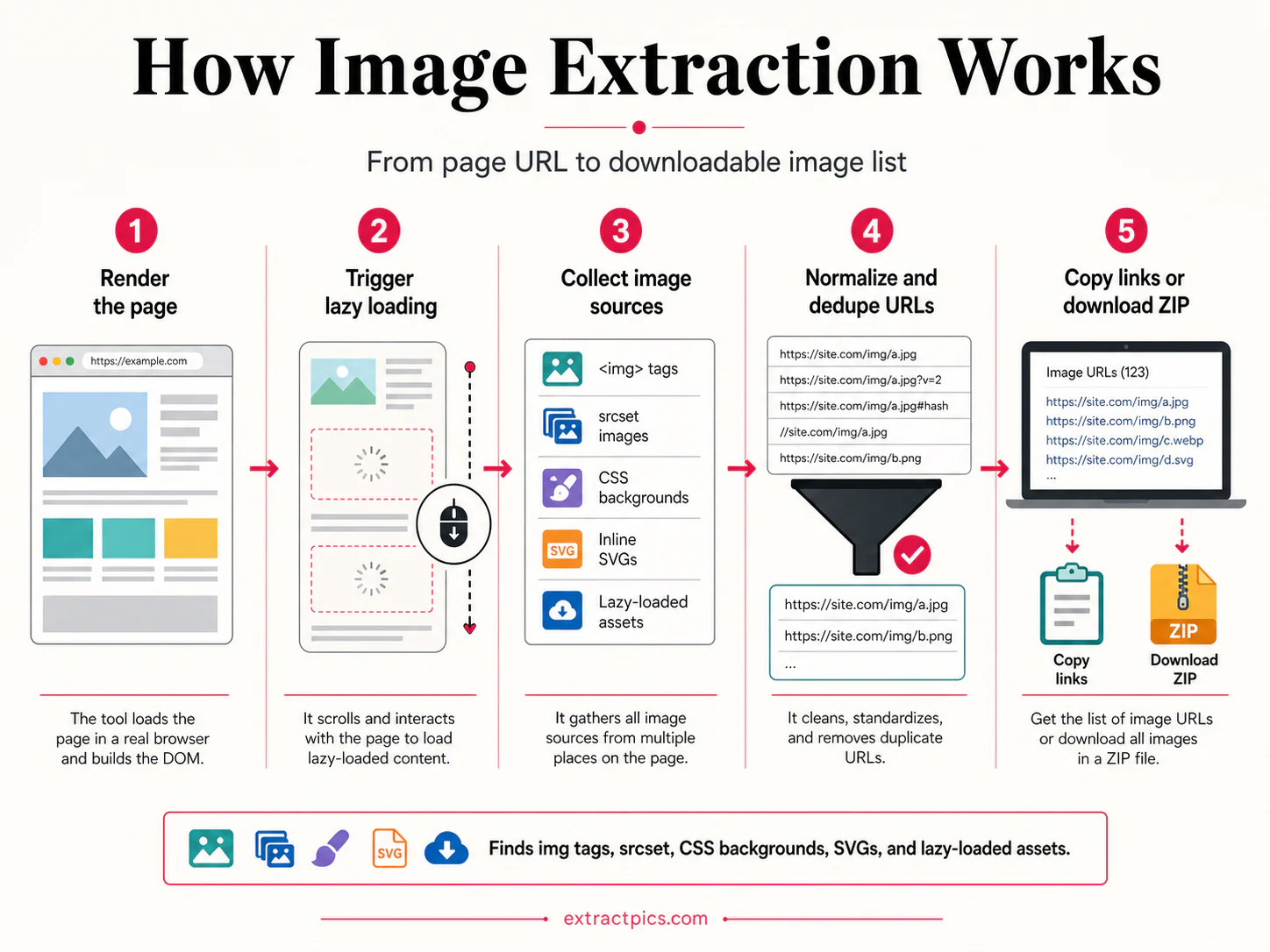
downloadDownload PNGHow image extraction works
A five-step visual workflow covering browser rendering, lazy-load discovery, source collection, URL normalization, deduplication, and export.
June 5, 2026 · Source: ExtractPics.com
Free visual resources for web developers and content creators. Learn image extraction techniques, optimization strategies, and best practices.
Downloadable visual guides on image extraction, optimization, and web image formats.
A five-step visual workflow covering browser rendering, lazy-load discovery, source collection, URL normalization, deduplication, and export.
June 5, 2026 · Source: ExtractPics.com
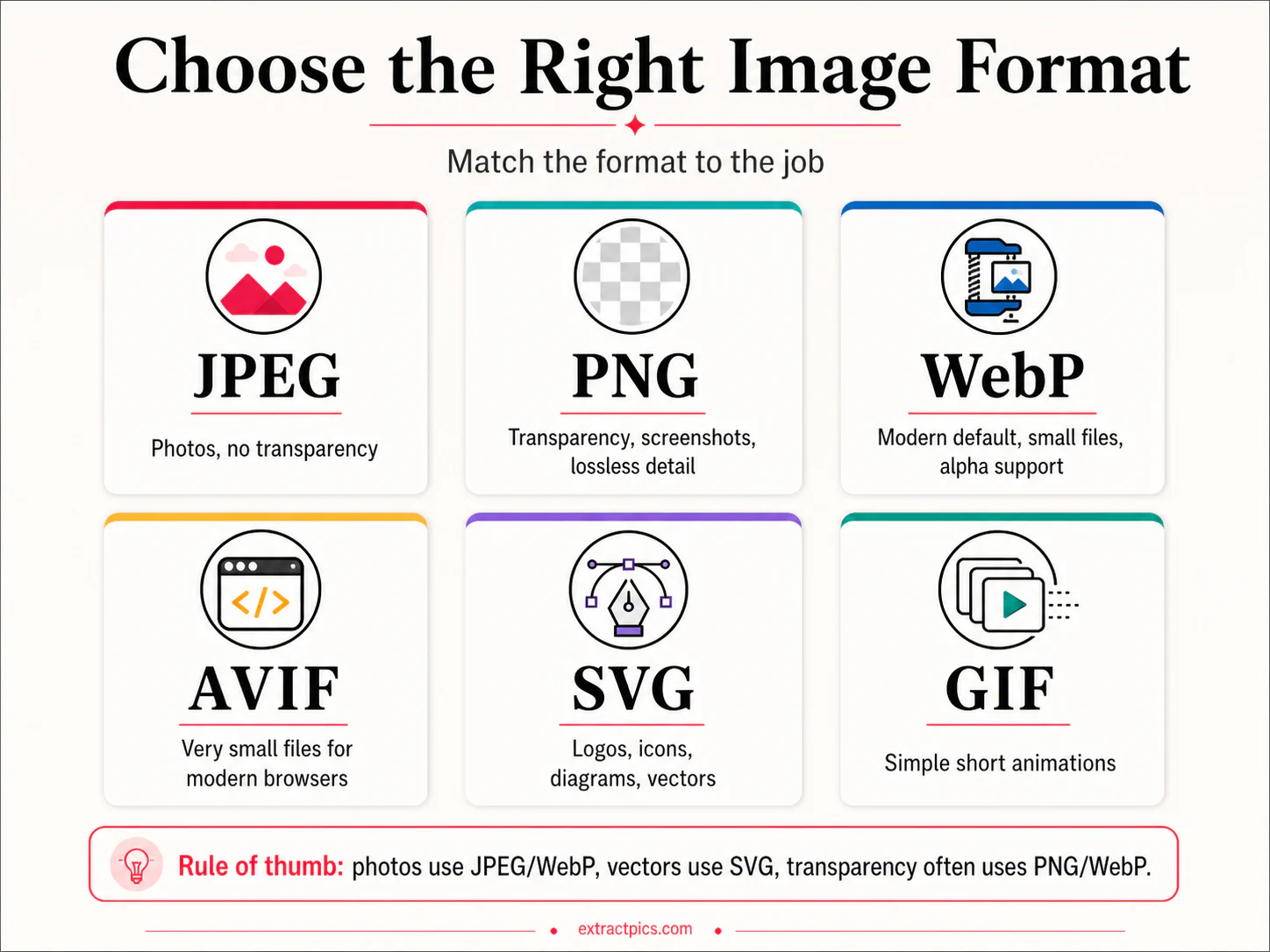
A practical chooser for JPEG, PNG, WebP, AVIF, SVG, and GIF based on transparency, animation, vector sharpness, and compression needs.
June 5, 2026 · Source: ExtractPics.com
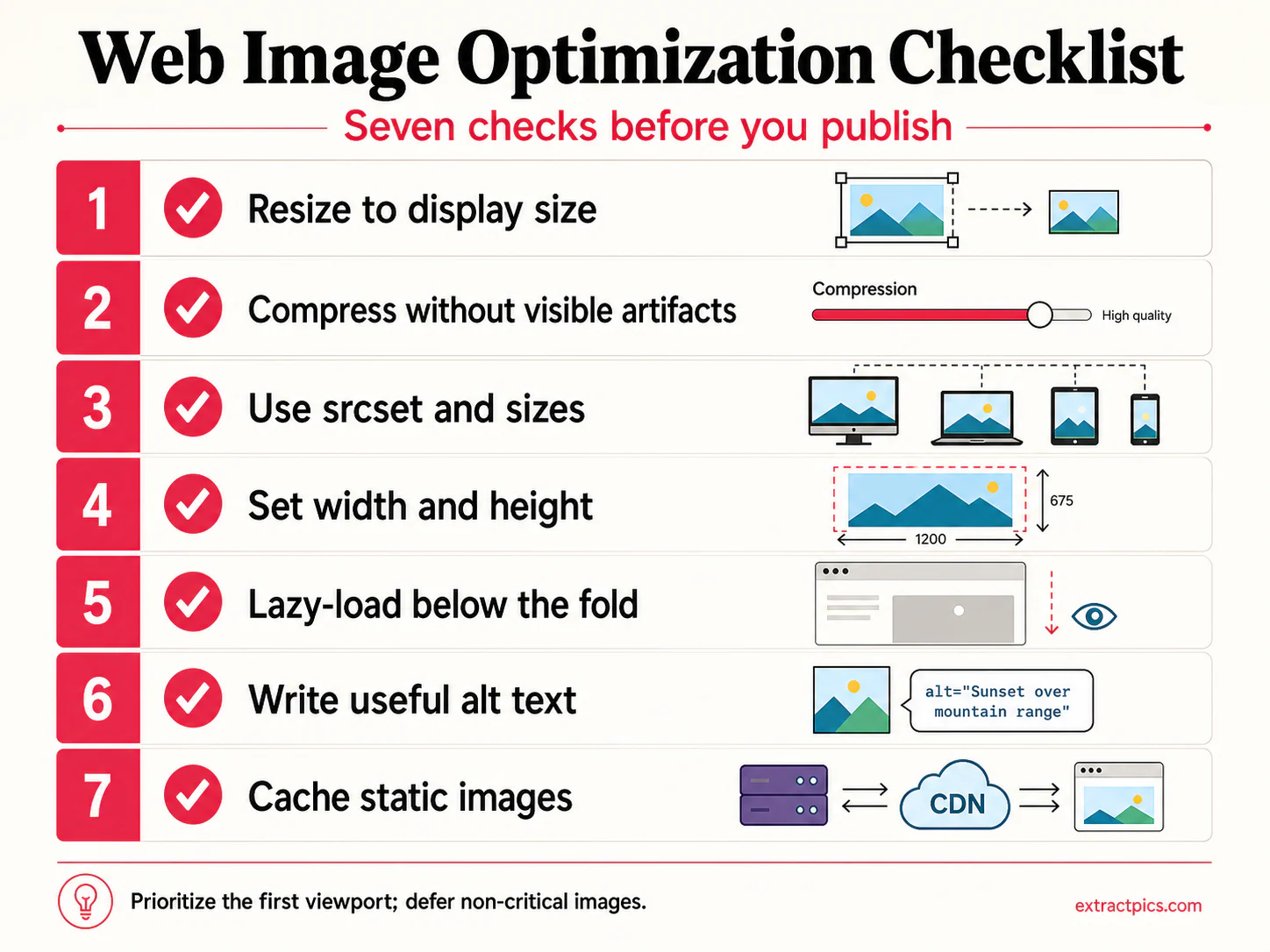
Seven checks for faster image delivery: resize, compress, use responsive sources, set dimensions, lazy-load, describe, and cache.
June 5, 2026 · Source: ExtractPics.com
Reference cards for additional guides and best-practice themes.
Understand the essentials of image copyright law, fair use policies, Creative Commons licenses, and how to legally use images from the web in your projects.
January 15, 2026
A complete visual guide to compressing, resizing, and serving images for faster page loads. Covers lazy loading, responsive images, and CDN delivery strategies.
February 1, 2026
Master reverse image search across Google, Bing, TinEye, and more. Find original sources, detect duplicates, and track where your images appear online.
February 15, 2026
The definitive cheat sheet for every social media platform's image dimensions. Covers profile photos, banners, post images, and story formats.
March 1, 2026
Compare JPEG, PNG, WebP, AVIF, GIF, and SVG side by side. When to use each, compression trade-offs, browser support, and conversion tips.
March 15, 2026
Step-by-step visual guide for extracting images in bulk from any website. Covers lazy loading, infinite scroll, pagination, and organizing downloaded assets.
April 1, 2026
Practical image tips you can apply right away.
Reduce file sizes by 60-80% without visible quality loss using tools like TinyPNG or Squoosh. Smaller images mean faster page loads and better SEO.
Rename images from "IMG_4532.jpg" to "sunset-beach-california.jpg". Search engines use file names as ranking signals for image search.
Use the srcset attribute to serve different image sizes for different screen widths. A mobile user should never download a 4K image meant for desktop.
Always verify the license before using extracted images. Look for Creative Commons tags, check the site's terms, and keep attribution records organized.