extract.pics Alternative

A free extract.pics alternative for pulling images from any site

Same job — paste a URL, get every image — but free to use with no account required. ExtractPics runs the page in a real browser and hands you the full set, ready to download.

  • check_circleNo signup
  • check_circle100% free
  • check_circleFull-resolution downloads
  • check_circleZIP export

Trusted by people who extract images every day

image

35,713 image extractions and counting

Quick Extract: Images on this page onlyDeep Extract: Follows links across up to 3 pages
Checking…

shieldOnly download images you own or have permission to use. Respect each site's copyright and terms. Rights holders can request removal via our DMCA policy.

Extract your URL in a private tab. Nothing is sent to our servers. How it works

Add to Chrome

Extracted images will appear here.

Why people look for an extract.pics alternative

If you searched for an extract.pics alternative, you probably want the same thing that tool does — paste a website link and pull every image off the page — without hitting a wall. ExtractPics does exactly that, free and in the browser: no account to create before your first extraction, no software to install, and no API key to wire up.

Under the hood it works the way the good extractors do. It opens your URL in a real headless browser, runs the page's JavaScript, and scrolls so lazy-loaded images appear, then collects every source it finds — ordinary img tags, responsive srcset versions, and CSS background images. You preview the results, deselect anything you do not want, and download the rest individually or as a single ZIP.
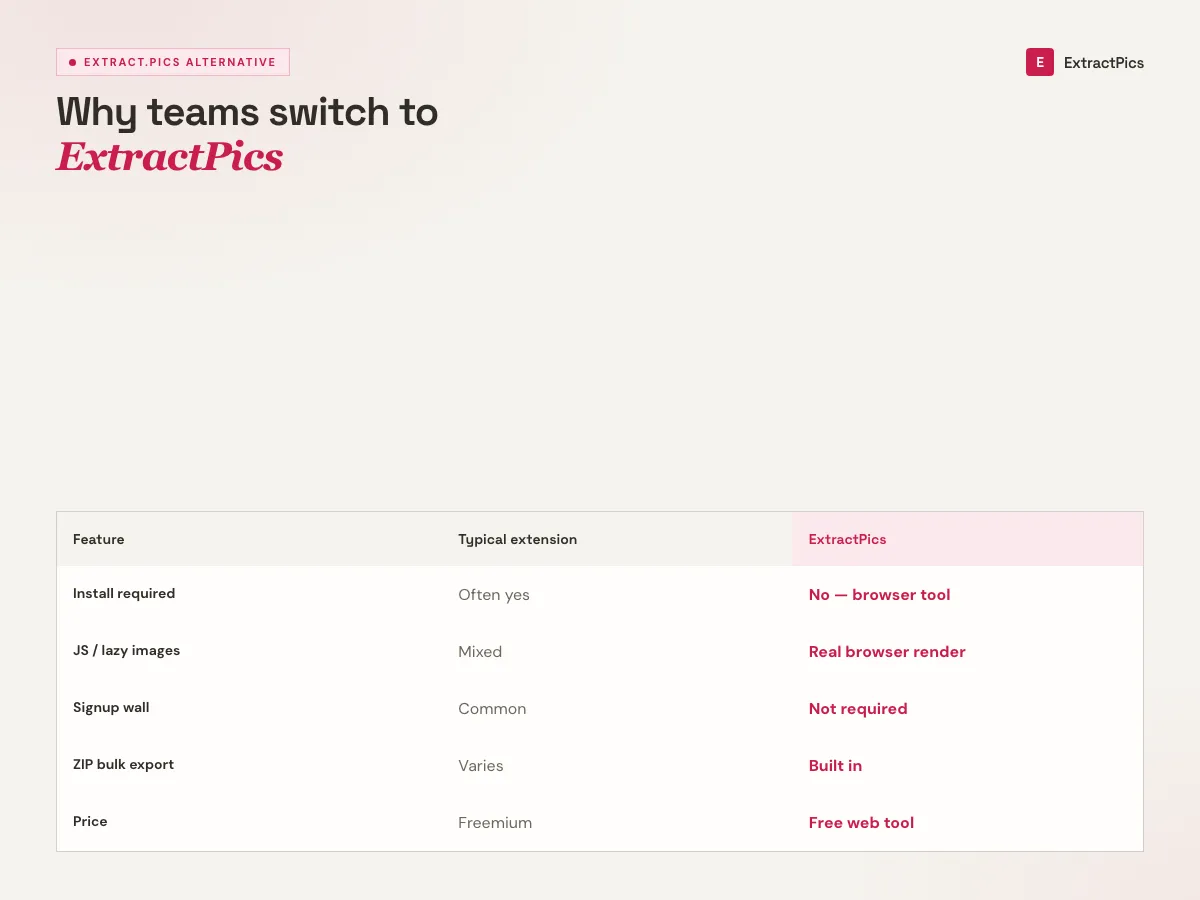
Comparison chart for the extract.pics alternative showing ExtractPics versus typical browser extensions
extract.pics alternative: extension vs ExtractPics browser tool comparison.

What you get with this extract.pics alternative

lock_open

No signup wall

Start extracting on your first visit. There is no account gate in front of the tool — paste a URL and go.

travel_explore

Real-browser extraction

It renders the page and scrolls like a person, so lazy-loaded, srcset, and CSS-background images all show up — not just the raw HTML.

folder_zip

Preview and ZIP download

See thumbnails of everything found, pick what you need, and download one image or the whole set as a ZIP in a click.

When this extract.pics alternative is the better fit

Reach for this alternative when you want a fast, free, no-account way to get the images off a page — whether that is one product photo or an entire gallery.

Perfect for

  • checkAnyone who hit a signup or upload limit elsewhere
  • checkGrabbing a full gallery of product or listing photos
  • checkDesigners and marketers collecting reference images
  • checkResearchers and dataset builders gathering image URLs
  • checkSaving images from sites that block right-click
  • checkQuick one-off extractions without installing anything

What you get

  • checkFree with no account required
  • checkFinds lazy-loaded, srcset, and CSS-background images
  • checkCopy the raw image URL list for your own workflow
  • checkDownload individually or as a ZIP
  • checkWorks on any public website
  • checkRuns in the browser on desktop and mobile

How to use this extract.pics alternative

  1. 01

    Paste the website URL

    Drop the link of the page whose images you want into the box at the top — a gallery, product page, blog post, or search results.

  2. 02

    Let it scan

    ExtractPics loads the page in a real browser, runs its scripts, and scrolls to surface every image, including the ones that load on demand.

  3. 03

    Preview and download

    Review the thumbnails, deselect anything you do not need, then download the images one by one or as a single ZIP. No account, no watermark.
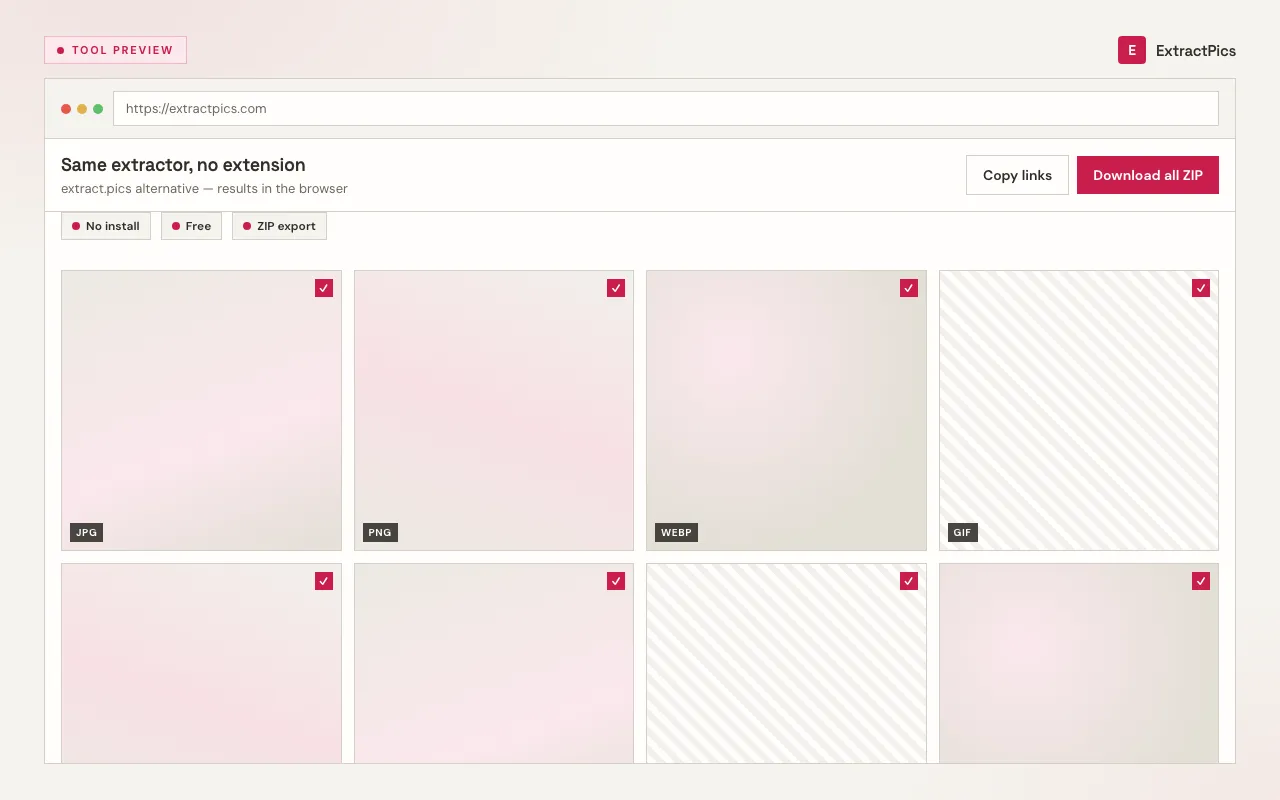
extract.pics alternative results UI mockup showing ExtractPics downloading images without an extension
extract.pics alternative using ExtractPics results grid in the browser.

How this extract.pics alternative compares

The core capability is the same as extract.pics: render a page, find every image, and let you download them. Where ExtractPics aims to be the easier choice is access — the tool is free and sits right on the page, so there is nothing to sign up for before you can use it.

It handles the cases a basic extractor misses. Because it runs a real browser rather than reading static HTML, it catches images that load as you scroll, the higher-resolution versions hidden in srcset, and images painted as CSS backgrounds. That is the difference between getting a handful of images and getting the whole set.

As with any image tool, ExtractPics only reaches images that are already public, and downloading them does not grant the right to reuse them. You are responsible for respecting each site's terms of service and the copyright on anything you save. This page is an independent comparison and is not affiliated with or endorsed by extract.pics.

Frequently asked questions

If your question is not covered here, send us a message and include the page, file, or result type you are working with.

What is the best free extract.pics alternative?

ExtractPics is a free, browser-based alternative that does the same core job — paste a website URL and download every image on the page — without requiring an account. It renders the page in a real browser so it captures lazy-loaded, srcset, and CSS-background images, then lets you download them individually or as a ZIP.

Is ExtractPics free to use?

Yes. You can extract images for free with no signup. Very heavy or bulk use may hit a fair-use limit, but everyday extractions are free and start on your first visit.

Do I need to create an account?

No. Unlike tools that put a signup in front of the extractor, ExtractPics lets you paste a URL and start immediately. An optional free account exists if you want more, but it is not required to use the tool.

How is ExtractPics different from extract.pics?

Both extract images from a webpage. ExtractPics focuses on being free and account-free, runs the page in a real headless browser to catch dynamically loaded images, and offers a preview with one-click ZIP download. It is an independent tool, not affiliated with extract.pics.

Does it find images that load while scrolling?

Yes. ExtractPics scrolls the page and runs its JavaScript, so lazy-loaded images load and get collected. It also reads responsive srcset sources and CSS background images that a static-HTML extractor would miss.

Can I download all the images at once?

Yes. After the scan you can select everything and download the whole set as a single ZIP file, or grab individual images one at a time.

Is it legal to extract images from a website?

ExtractPics only reaches images that are already publicly accessible. Whether you can reuse them is a separate matter governed by copyright and each site's terms of service. Extract for permitted uses, and get permission before republishing someone else's images.

How can I find specific images?

After a scan, use the format and size filters on the results toolbar. That is the fastest way to drop icons, skip tiny files, or keep only JPGs. Filenames show on each card, so you can scan for a product name or a known asset. Tick the ones you want and leave the rest. You do not have to download the whole pile.

What can I do with the results?

Preview every image in a grid. Filter by type or size. Copy one URL or copy all of them. Download a single file, or select several and get a ZIP. Quick Extract covers the page you pasted. Deep Extract follows a few linked pages when the set is paginated. There is no account required to try this.

How do I download images?

When the scan finishes, each image has its own download control. Click it to save that file at the size the site actually served. Nothing is recompressed and no watermark is added. If you only need the address, copy the URL instead.

The extraction does not work. Why?

The usual causes: the page is not public, it sits behind a login, or it is so slow or heavy that it never finishes loading. Very large infinite-scroll feeds can also time out. Try again in a minute, try a shorter URL (a single product page instead of a huge homepage), or switch between Quick Extract and Deep Extract. If the site itself is down, we cannot invent images that never loaded.

The download does not work. Why?

Some sites stop other pages from hotlinking their files. The preview may say it failed, or a ZIP may skip that image. Right-click the preview if you have one, or open the image URL in a new tab and save it from there. If nothing downloads at all, write to us from the contact page with the URL you tried.

How does the extract.pics alternative work?

Each run opens your URL in a headless Chrome browser. We wait for the page to render, run its JavaScript, and scroll so lazy-loaded pictures appear. Then we collect img tags, srcset sources, CSS backgrounds, picture elements, and SVG. Tracking pixels and broken URLs are stripped before you see the grid.

Does it work with dynamic websites?

Yes. The page is viewed the same way you would view it in Chrome. Scripts run. Network requests get a chance to finish. Infinite-scroll and lazy-load galleries are the reason we bother with a real browser instead of reading static HTML. If a picture only exists after you scroll, we try to load it before collecting.

How many images are extracted?

We scroll the page for several seconds and keep what loaded in that window — typically the first stretch of an infinite feed, not an endless crawl of the whole internet. Deep Extract can follow up to three linked pages. Duplicates and invalid files are removed. A 12-photo product page often returns all 12. A social feed that never stops scrolling will not.

Can I extract from multiple URLs at once?

Yes. Switch to Bulk Extract, paste more than one URL, and run it. Images from every address land in the same results grid, so you can filter and download them together. Each URL uses one global credit.

Help improve ExtractPics

Send feedback

About Extract Pics Alternative

What kind of feedback is this?
Quick rating

Do not include passwords or private data.0 / 2000