How to Save Product Images From Websites

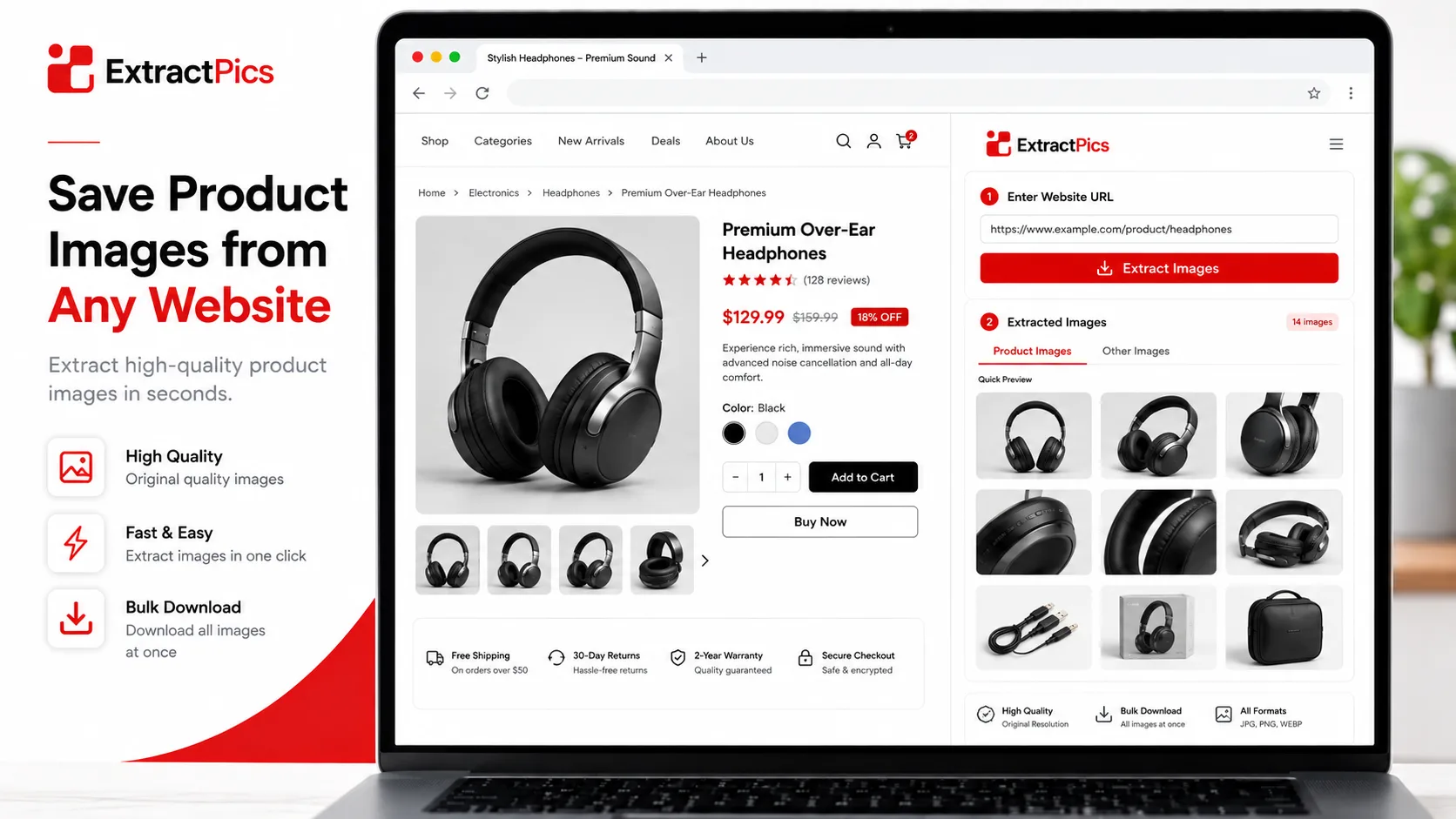
You can save product images from websites in a few clicks, but there's a catch most people miss. The photo you see on a product page is often a small, zoomed-down preview, not the full-resolution image the store actually has. Save that one and you end up with something too blurry to use.
This matters whether you're doing competitor research, building a price comparison, sourcing for a dropshipping store, or just collecting reference shots. You want the clean, high-resolution version, not a thumbnail.
This guide shows how to grab product images at full quality, how to handle big stores like Amazon and Shopify, how to save a whole catalog at once, and what the rules are if you plan to reuse them.
Why Product Images Are Tricky to Save
Online stores don't show you the full image up front. They load a smaller version first so the page stays fast, then swap in a bigger one only when you hover to zoom or click to expand. The right-click you do on the visible photo usually grabs that smaller preview.
There's also the gallery problem. A single product often has five or ten photos, but only the main one is on screen. The rest sit in a thumbnail strip or load as you click through them, so a quick save misses most of the set.
On top of that, many stores serve images through a content delivery network with messy URLs, and some add a tiny watermark or lazy-load the photos so they don't appear in the page source right away.
None of this stops you. It just means the casual right-click often isn't enough for product images. The methods below get you the real, full-size files instead of the previews.
How to Save One Product Image in Full Resolution
When you only need a single photo, here's how to get the full-size version instead of the preview.
Open the zoom view first. Click the image to trigger the store's zoom or lightbox, which loads the larger file. Then right-click that enlarged version and choose Save image as. You'll often get a much sharper file than saving from the thumbnail.
Open the image in its own tab. Right-click the photo and choose Open image in new tab. Look at the URL. If you see size numbers like _400x400 or ?width=500, the store is serving a resized copy. Try deleting that part of the URL to load the original, then save it.
Check the page source for the real file. If zoom and URL tricks don't work, right-click and choose Inspect, then hover over the image tag to find its source link. The full-resolution URL is usually right there, and you can open and save it directly. For more on this, see how to extract an image URL from a website.
These take a few extra seconds, but they're the difference between a crisp product shot and a blurry one.
How to Save Every Image From a Product Page at Once
When a product has a full gallery, or you want shots from several products, saving each by hand is slow. A scanning tool pulls them all together.
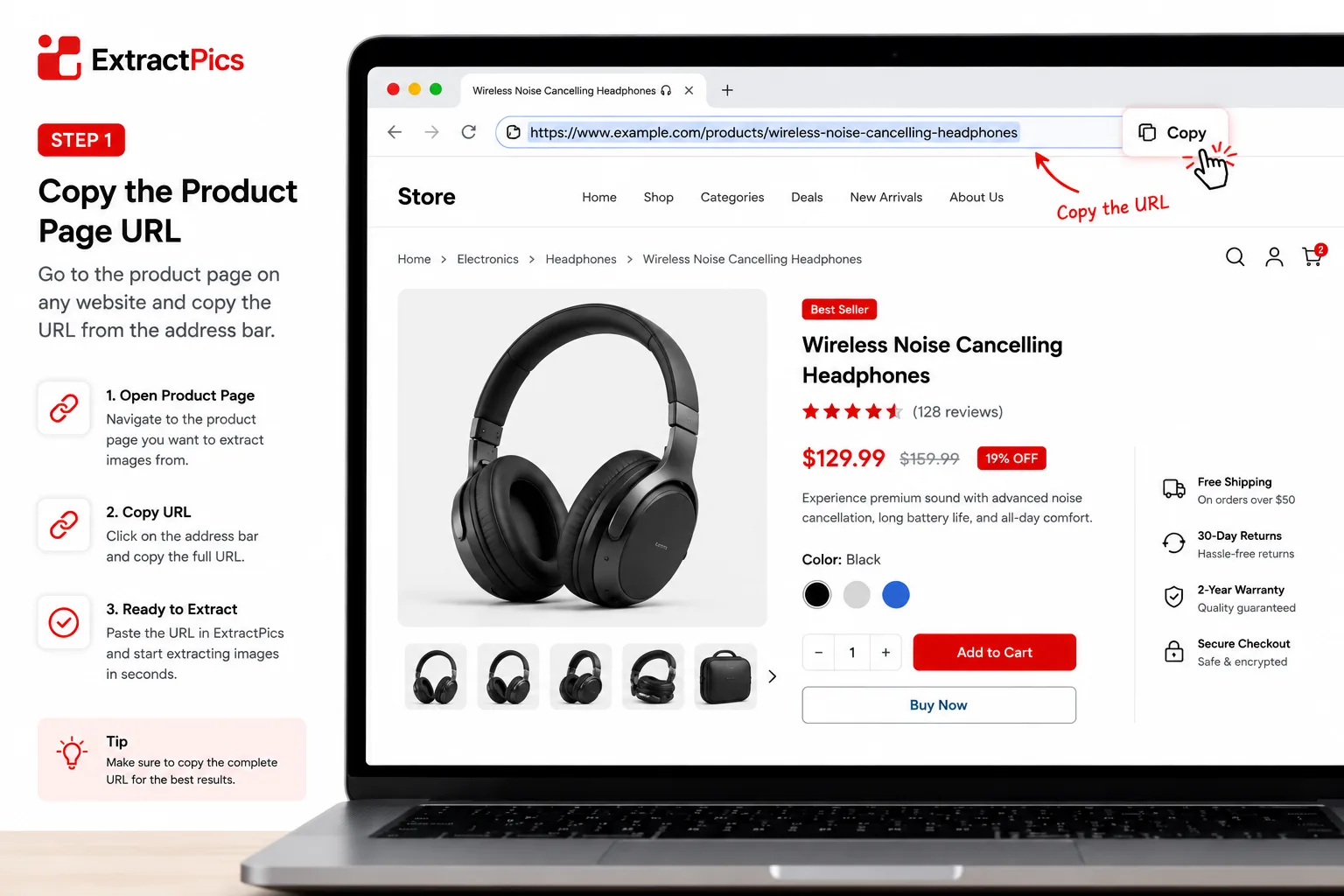
Copy the product page URL from your browser.
Paste it into ExtractPics' website image downloader.
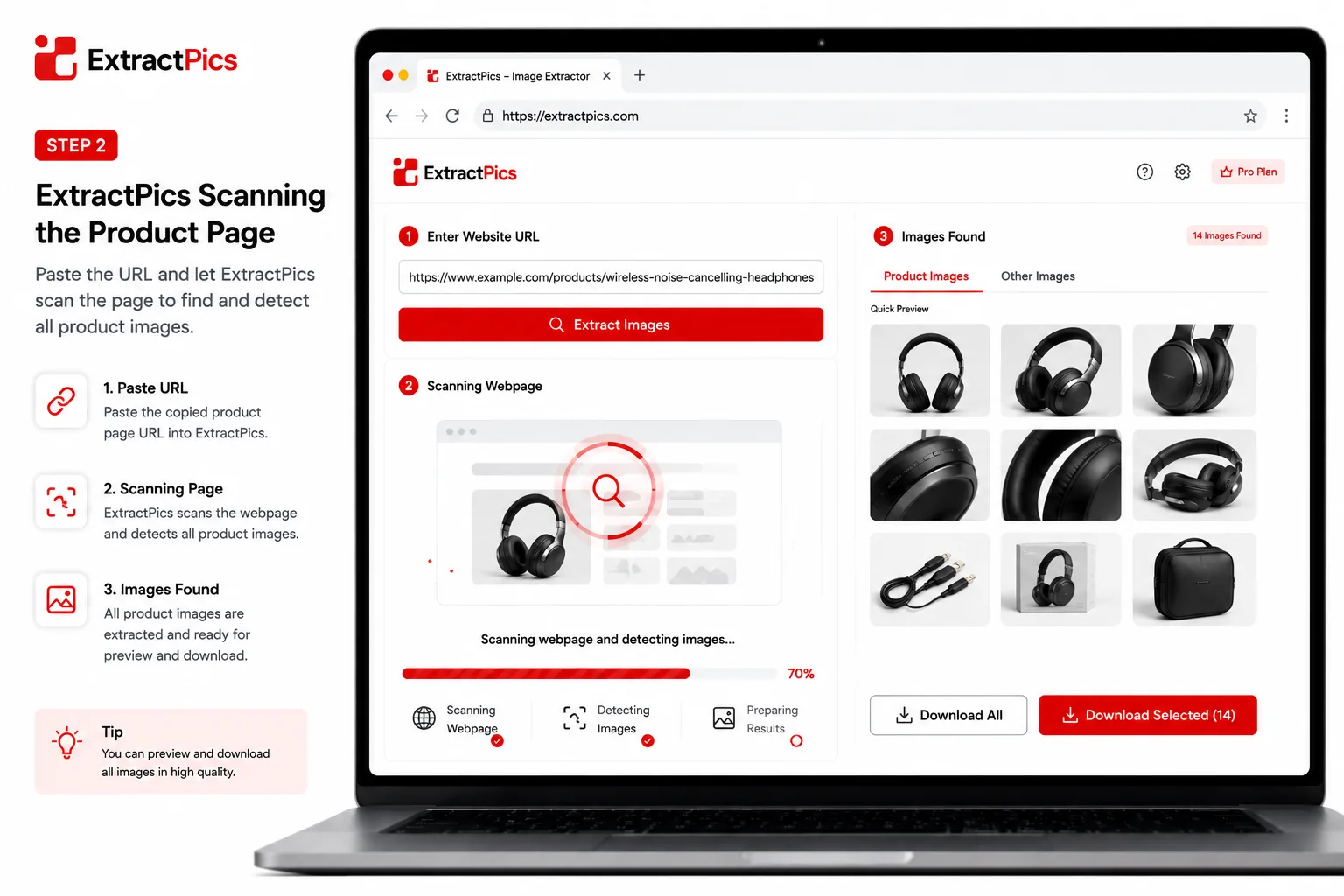
Click Extract and let it scan the page.
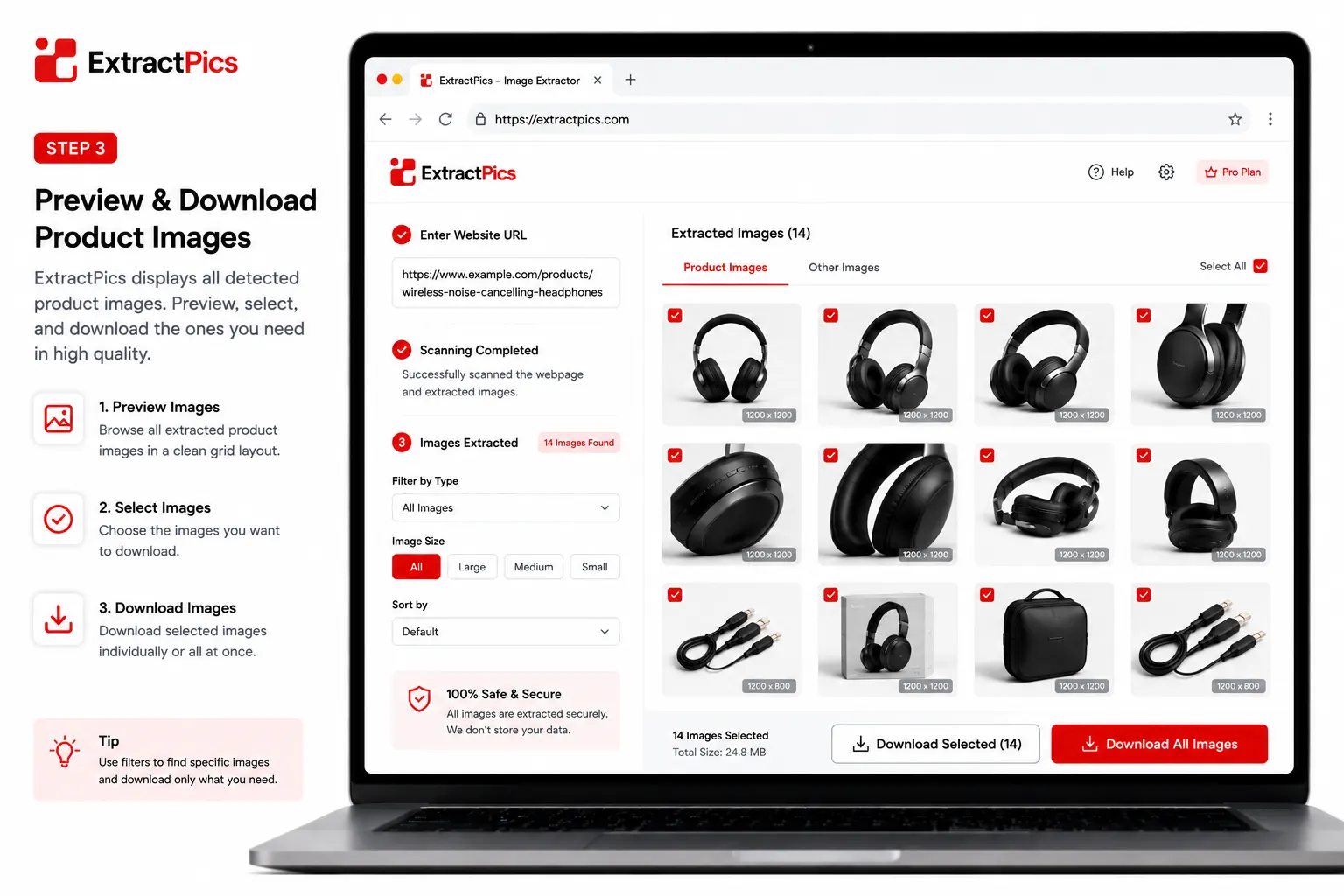
Untick the site clutter like logos and icons, keep the product shots, and download them as a ZIP.
Because the tool loads the real page and scrolls it, it catches the gallery images that only appear on click, plus the high-resolution versions behind the thumbnails. So you get the full set at full size in one go, instead of saving the main photo and missing the rest.
If you want a deeper look at the different methods, see how to download multiple images at once.
Saving Images From Specific Stores
Big platforms each handle product photos a little differently. Here's what to expect on the common ones.
Amazon. Listings load several images in a thumbnail strip, and the main image swaps when you hover. Click through each thumbnail to load the big version, or run the page through a tool to grab the high-resolution set at once. Amazon URLs often have a size code like _AC_SL1500_, and the larger the number, the bigger the file.
Shopify stores. Shopify serves images through its CDN with a size suffix like _500x.jpg. Open the image in a new tab and remove that suffix to load the original. A scanning tool does this automatically and pulls the full product gallery.
AliExpress. Product galleries here load dynamically and often include extra description images further down. Scroll the full page first, or use a tool that scrolls for you, so you capture everything and not just the top photos.
Etsy. Listing photos are usually high quality already. Click an image to open the larger view, then save it, or extract the whole listing in one pass for all the angles.
Saving Images Across Many Products
Sometimes you need photos from a whole catalog, not just one listing. Maybe you're comparing a competitor's full range or sourcing dozens of products at once. Doing that page by page would take hours.
For this, paste each product URL into a tool that accepts multiple links, or use a bulk extractor that scans several pages in one run. You get every product's images together, sorted into one download.
A few things make this go smoother. Collect the product URLs you need first, so you can paste them in one batch. Use the deep or multi-page option if the tool offers it, since category pages often spread products across several screens. And once the images come in, rename or folder them by product right away, because a hundred unlabeled files get confusing fast.
This is the fastest route when you're building a product database, a moodboard, or a price comparison sheet.
The Legal Side for Resellers and Dropshippers
Product images carry more risk than personal photos, because people usually save them to use commercially. That's where it gets sensitive.
A product photo is owned by whoever shot it, often the brand or the seller. Copying it onto your own store, ad, or listing without permission can break copyright, even if you're selling the same product. Brands do send takedown notices, and marketplaces like Amazon and eBay can pull listings that use images the seller doesn't own. If you're unsure what's allowed, our guide on whether it's legal to download images breaks it down.
If you're sourcing from a supplier, the safer path is to ask for their official image pack, which most wholesalers and dropshipping suppliers provide for resellers. Many AliExpress and Alibaba suppliers are fine with you using their photos, but it's worth confirming rather than assuming. For anything you're unsure about, shoot your own product photos. Original images also help you stand out and avoid the duplicate-content problem of using the same stock shots as everyone else.
For competitor research or design reference, saving images is generally fine. The line is republishing them as your own.
This isn't legal advice, just a heads-up that product images are a higher-stakes case than most.
Keep catalog rights and source data together
A full-resolution product image is still protected by the rights attached to it. Suppliers, marketplaces, brands, and photographers may each have different terms. Ask for written permission or an approved media feed before publishing images in another store, advertisement, or marketplace listing.
For authorized migrations, keep the original filename, product identifier, source URL, and license note together. That record prevents images from being matched to the wrong product and makes later rights checks far easier.
Related ExtractPics guides
- How to Extract Images From Any Website (Step-by-Step Guide)
- How to Download Multiple Images at Once
- How to Save Images Without Losing Quality
- Is It Legal to Download Images From the Internet?
Sources and verification
This article was reviewed against the following primary documentation and standards in August 2026:
- MDN: using responsive images
- U.S. Copyright Office: copyright for visual artists
- Creative Commons: license types and conditions
Quality is only half of the job
Open the zoom image or inspect the responsive source to find the largest legitimate file. Verify its dimensions, then save the product-to-image relationship before moving on. If the images are for a commercial catalog, confirm usage rights first. A crisp file with unclear permission is not a safe production asset.
