Image Extractor: How to Download Images from Any Website in Seconds
Learn how an image extractor works and discover the fastest way to extract images from website URLs. Free bulk download tool for designers, marketers, and developers.
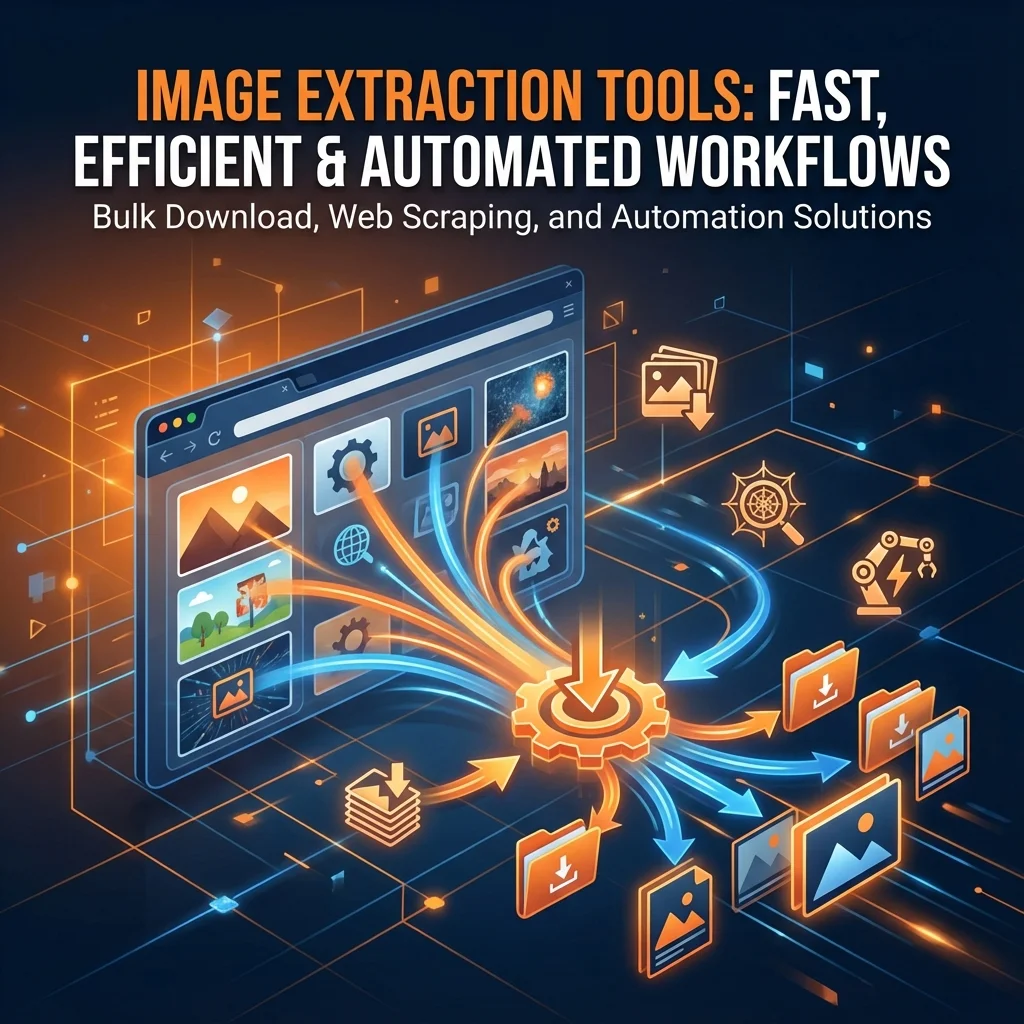
Image Extractor: How to Download Images from Any Website in Seconds
If you've ever needed to download multiple images from a website, you know how tedious the manual process can be—right-clicking each image, saving it individually, and organizing files one by one. An image extractor is a specialized online tool that automates this entire workflow by scanning webpages, identifying all image files, and allowing you to download them in bulk with just a few clicks. In this comprehensive guide, we'll explore what image extractors are, how they work, who needs them, and why tools like ExtractPics.com are transforming the way we handle web images.
What Is an Image Extractor?
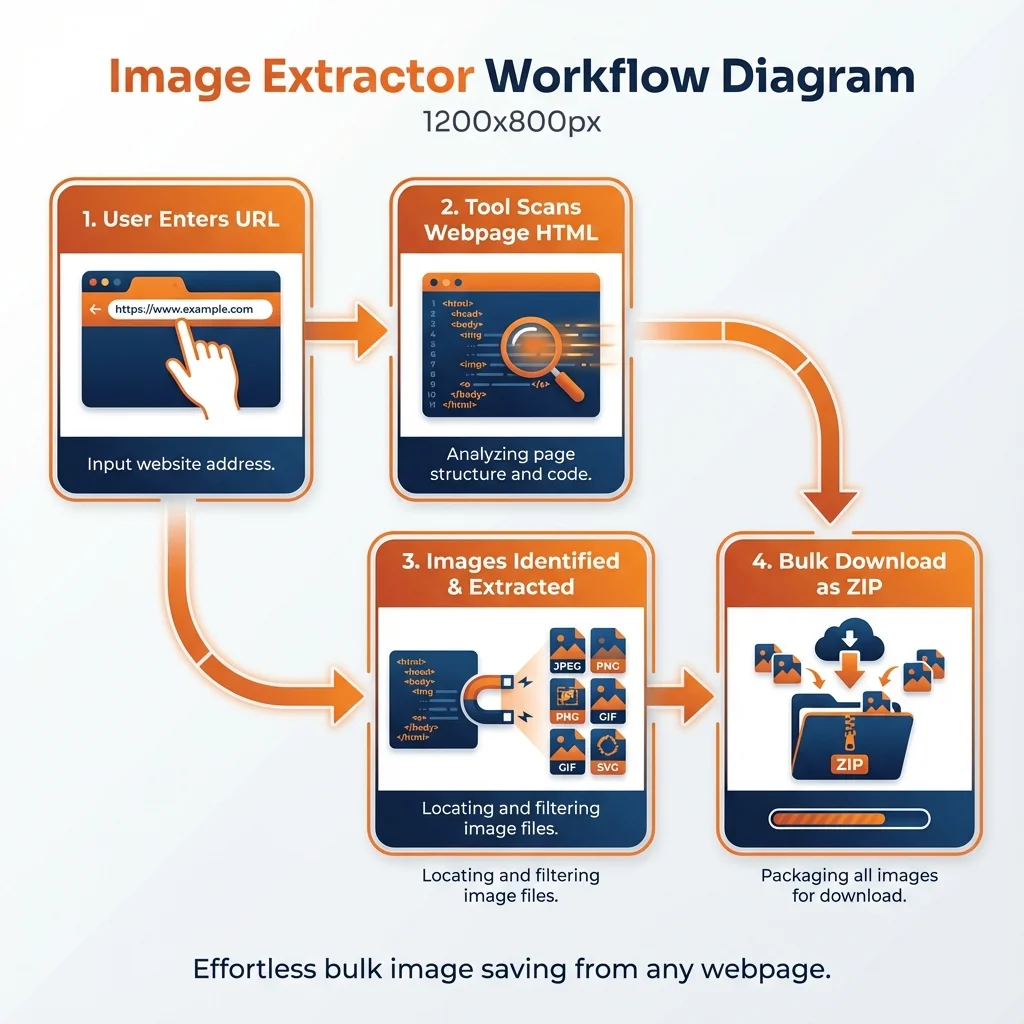
An image extractor is an automated tool designed to locate and download all images from a specific webpage or URL without requiring manual intervention. Unlike traditional methods where you must manually right-click and save each picture, an image extractor online tool scans the HTML source code of a website, identifies image references (typically found in <img> tags), and retrieves the image files automatically.
These tools work by fetching the website's HTML, finding references to images, and downloading those image files via their URLs. For example, when you enter a URL into an image extractor, it analyzes elements like <img src="image.jpg"> within the code, extracts the source URLs, and performs HTTP GET requests to download each image to your computer or cloud storage.
Modern image extractors can handle various image formats including JPG, PNG, WebP, SVG, and even background images that are dynamically loaded by JavaScript. This makes them significantly more powerful than simple browser extensions or manual downloading methods.
Why You Need an Image Extractor Tool
Save Time and Boost Productivity
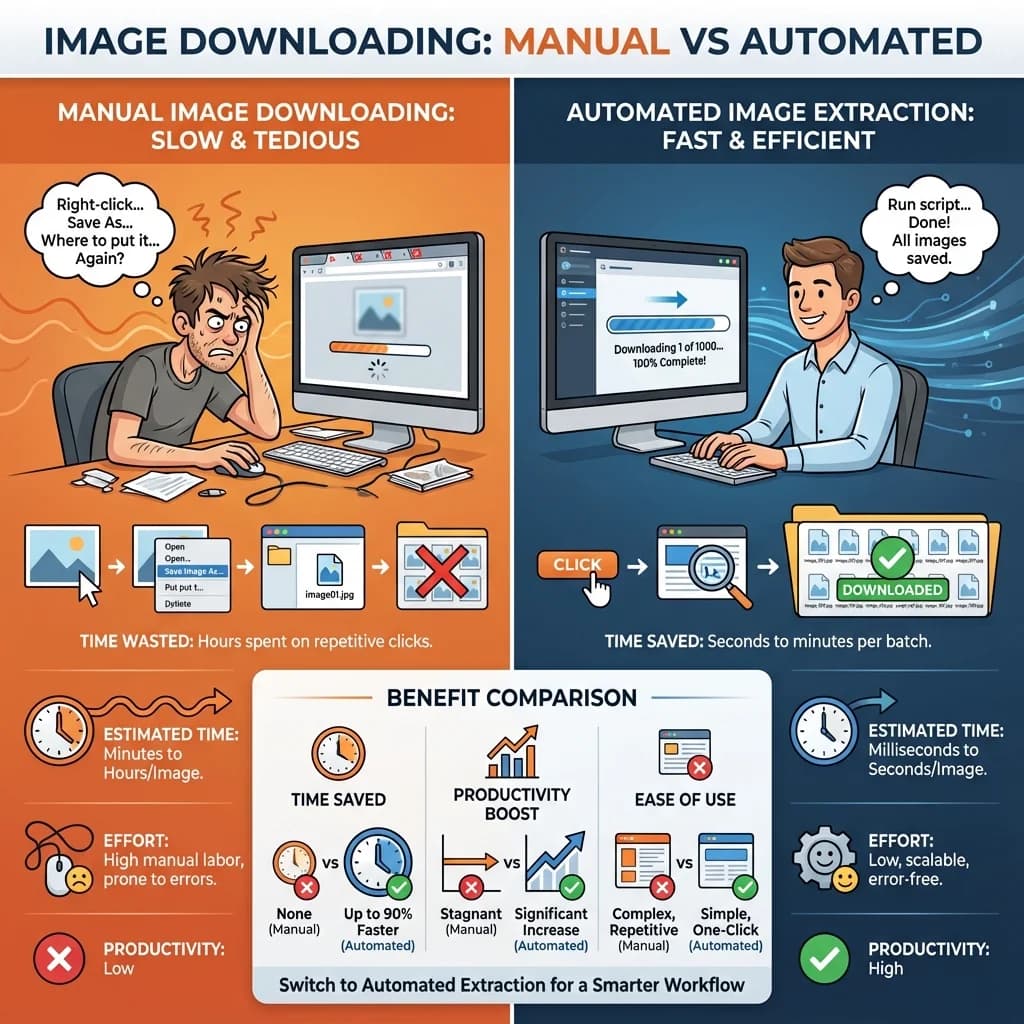
Manual image downloading is extraordinarily time-consuming, especially when dealing with websites containing dozens or hundreds of images. Research shows that marketers and content teams using AI-powered extraction tools can harvest site images three times faster than traditional methods. An image extractor online eliminates the repetitive clicking, saving, and renaming process that can consume hours of valuable work time.
Handle Large-Scale Projects Efficiently
Automated image extraction systems can process thousands of images in a fraction of the time it would take a human. One case study revealed a 75% reduction in image search time for a marketing agency after implementing automated extraction tools. Whether you need to extract images from URL sources for market research, competitor analysis, or content creation, automation scales effortlessly to handle massive volumes of data.
Cost-Effective Solution
Once an image extractor is set up, it requires minimal human intervention, significantly reducing labor costs compared to hiring staff or outsourcing manual extraction work. Free tools like ExtractPics.com offer robust functionality without subscription fees, making professional-grade image extraction accessible to freelancers, students, and small businesses.
Overcome Technical Limitations
Many websites use lazy loading, dynamic content, or complex JavaScript frameworks that make manual image extraction nearly impossible. Advanced image extractors use browser automation and AI to handle these complex pages, ensuring you capture every image regardless of how the website is built.
Who Uses Image Extractors? Real-World Use Cases
Graphic Designers and Creative Professionals
Designers frequently need to collect visual inspiration, extract competitor assets, or gather reference materials from multiple sources. An image extractor allows them to quickly build mood boards and asset libraries without spending hours on manual downloads. One agency reported a 40% increase in client satisfaction after implementing automated image retrieval, as they could deliver consistently high-quality campaigns with engaging graphics more efficiently.
Digital Marketers and Content Creators
Marketers use image extractors to analyze competitor visuals, harvest product images from supplier sites, and build comprehensive image datasets for campaigns. The ability to extract images from website URLs in bulk enables marketers to conduct thorough visual competitive analysis and discover trending content patterns across multiple platforms.
Web Developers and Data Analysts
Developers building image recognition systems, training machine learning models, or conducting SEO audits rely on image extractors to gather large datasets quickly. These tools can export image URLs, metadata, and alt text directly to spreadsheets or databases, streamlining the data collection pipeline.
E-commerce Professionals
Online retailers and dropshippers use image extractors to download product images from manufacturer websites or competitor stores. This helps them quickly populate their own catalogs while maintaining consistent visual quality across their platforms.
Students and Researchers
Academic researchers collecting visual data for studies, students creating presentations, or anyone conducting image-based research benefit from the efficiency of automated extraction. Instead of manually downloading dozens of images for a project, they can extract entire collections in seconds.
How Image Extractors Work: The Technical Process
Step 1: URL Submission and Page Request
When you enter a website URL into an image extractor, the tool sends an HTTP request to fetch the webpage's HTML source code. This is similar to what your browser does when you visit a website, but the extractor focuses specifically on retrieving the underlying code structure.
Step 2: HTML Parsing and Image Identification
The tool uses parsing libraries (similar to BeautifulSoup in Python) to analyze the HTML and identify all image references. It searches for <img> tags and extracts the src attribute values, which contain the direct URLs to image files. Advanced extractors also detect background images defined in CSS, SVG elements, and images loaded dynamically by JavaScript.
Step 3: Image URL Extraction
Once all image elements are identified, the extractor compiles a list of image URLs. It handles both absolute URLs (complete web addresses) and relative URLs (partial paths that need to be combined with the domain) to ensure all images are captured correctly.
Step 4: Download and Organization
Finally, the tool performs HTTP GET requests to download each image file from its URL. Users can typically choose to download images individually, select specific ones, or download all images as a compressed ZIP file for convenience. Some tools maintain the original folder structure, making it easier to understand the image organization.
Manual Downloading vs. Image Extractor Tools: A Comparison
| Aspect | Manual Downloading | Image Extractor Online |
|---|---|---|
| Speed | Extremely slow; each image requires multiple clicks | Downloads hundreds of images in seconds |
| Scalability | Impractical for more than 10-20 images | Handles thousands of images effortlessly |
| Cost | Free but labor-intensive | Free tools available; minimal time investment |
| Accuracy | Prone to missing hidden or dynamically loaded images | Captures all images including JavaScript-loaded content |
| Automation | Completely manual process | Fully automated with batch processing |
| Metadata Capture | No automatic metadata collection | Can extract URLs, alt text, dimensions, and file sizes |
| Format Support | Limited to visible images | Supports JPG, PNG, WebP, SVG, background images |
Manual extraction offers precision and contextual understanding for small projects with unique requirements. However, automated image extractors excel in speed, efficiency, and scalability, making them ideal for large-scale and cost-sensitive projects.
How to Use ExtractPics.com: Step-by-Step Guide
Step 1: Navigate to ExtractPics.com
Open your web browser and visit ExtractPics.com. The clean, intuitive interface requires no account creation or software installation—just open and start extracting.
Step 2: Enter the Website URL
In the search bar prominently displayed on the homepage, paste the complete URL of the webpage containing the images you want to extract. Make sure to include the full address (including https://) for best results.
Step 3: Click Scan to Extract Images
Hit the "Scan" button and watch as the tool analyzes the webpage. The image extractor will fetch the page content, parse the HTML, and identify all images within seconds. You'll see a preview gallery showing every image found on that URL.
Step 4: Filter Images by Format or Size
Use the built-in filtering options to narrow down results by image format (JPG, PNG, WebP, etc.) or file size. This is particularly useful when you need specific image types for design projects or want to avoid low-resolution thumbnails.
Step 5: Download Your Images
Choose to download individual images by clicking on them, or use the bulk download option to save all filtered images as a convenient ZIP file. The tool preserves original image quality and filenames, making organization simple.
The entire process takes less than a minute, and there's no limit on how many times you can use the tool—completely free.
Key Features That Make ExtractPics.com Stand Out
No Installation or Registration Required
Unlike browser extensions or desktop software, ExtractPics.com works entirely online. You don't need to create an account, download plugins, or worry about compatibility issues—just paste a URL and start extracting.
Comprehensive Image Detection
The tool captures all image types on a webpage, including standard images, background images set in CSS, and dynamically loaded content. This ensures you never miss important visual assets hidden in complex web designs.
Smart Filtering Options
Sort and filter extracted images by format (JPG, PNG, WebP, GIF) or file size to find exactly what you need. This feature saves additional time by eliminating irrelevant thumbnails or icons from your download batch.
Bulk Download as ZIP
Instead of downloading images one by one, extract all selected images packaged in a single ZIP file. This streamlines workflow for designers and marketers who need to process dozens or hundreds of images simultaneously.
Fast and Reliable Performance
Built with modern web technologies, ExtractPics.com delivers results in seconds even for image-heavy websites. The tool handles complex pages with hundreds of images without slowing down or crashing.
Privacy-Focused
Your data is processed securely without storing or caching images on external servers. Once you extract images from a URL and download them, the session ends cleanly without leaving traces of your activity.
Best Practices for Using an Image Extractor
Respect Copyright and Usage Rights
Always verify that you have the legal right to download and use images before extracting them from websites. Image extractors make downloading easy, but copyright laws still apply. Use extracted images only for legitimate purposes like research, inspiration, or when you own the content.
Use Descriptive Filenames
After downloading bulk images, rename them with descriptive filenames that reflect their content. This makes organization and future retrieval much easier, especially when working with large image libraries.
Optimize Extracted Images
Downloaded images may vary in size and format. Consider using image compression tools to optimize file sizes for web use, ensuring faster page loads and better user experience if you're republishing content.
Combine with Other SEO Tools
For SEO professionals, extracting images from competitor sites can reveal optimization opportunities. Analyze alt text, file sizes, and naming conventions to improve your own website's image SEO strategy.
The Future of Image Extraction Technology
Image extraction tools continue to evolve with advances in artificial intelligence and machine learning. Modern extractors now incorporate AI algorithms that can automatically generate alt text, perform quality scoring, and classify images based on content. Future developments include multimodal AI capabilities that understand visual context and edge computing for real-time processing.
For professionals working with visual content, staying updated with these tools translates directly to competitive advantage. Marketing agencies that adopted AI-powered image retrieval systems reported 28% increases in campaign effectiveness due to optimized resource allocation and improved workflow efficiency.
Start Extracting Images Today with ExtractPics.com
Whether you're a designer building a portfolio, a marketer analyzing competitor visuals, or a developer gathering training data, an image extractor is an essential tool in your digital toolkit. ExtractPics.com combines simplicity, power, and speed into a completely free platform that respects your privacy while delivering professional results.
Stop wasting hours on tedious manual downloads. Visit ExtractPics.com today and experience the fastest way to extract images from website URLs. Simply paste any URL, scan for images, filter by your preferences, and download—all in under 60 seconds. Try it now and discover how much time you can save on your next project.